Top Bestselling
Virtual Gear VR

Student
Essentials

Small & Enterprise
Networking Gear

Services
Networking Gear
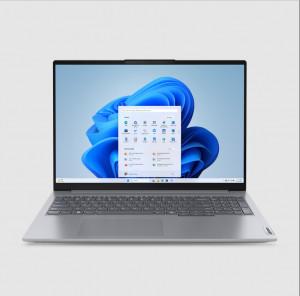
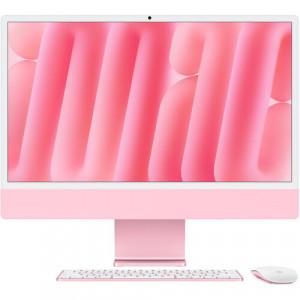
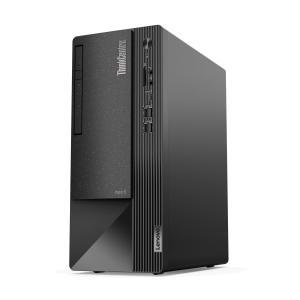
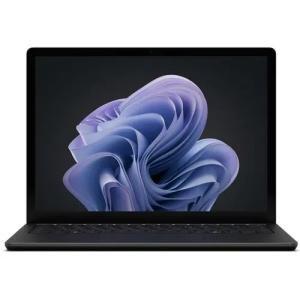


Professional IT Solutions & Equipment
Need IT Equipment or Solutions?Get Your Custom Quote!
Serving businesses with professional IT solutions since 2020
Shop by Categories
Discover our extensive range of premium tech products, carefully curated for every need and budget.

HP

LENOVO

DELL

APPLE

ASUS

MSI

ZEBRA

Fortinet

ACER

Microsoft

Samsung

LOGITECH


LATEST ELECTRONICS
Explore premium Camera, POS machines & more

camera
E-Commerce Development
Developing custom e-commerce solutions that provide seamless shopping experiences, secure transactions, and robust scalability.
Learn MoreDatabase Development
Designing and implementing efficient database solutions that ensure data integrity, scalability, and high performance.
Learn MoreMobile Development
Creating high-performance mobile applications for Android and iOS platforms with intuitive design and smooth performance.
Learn MoreGraphic Design
Designing engaging user interfaces and experiences, as well as crafting visually appealing digital marketing materials.
Learn MoreMaintenance & Support
Providing ongoing maintenance and support services to ensure your software, systems, and applications remain secure and up-to-date.
Learn MoreWhat Our Customers Say
Don't just take our word for it. Here's what real customers have to say about their experience with ExcelDisc.
WWDC Latest News!: Apple iPad revolution from Tablet to More Like a Laptop
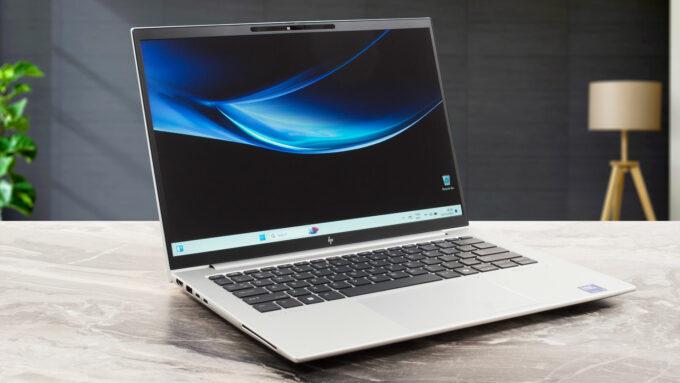
Tailored for Every Task: Exploring the Versatile Power of the HP EliteBook 630 G11 (2024)
The HP EliteBook 630 G11 (2024) is built with a CPU that utilizes a 7 nm fabrication process. This process refers to the size of the transistors within the processor, with 7 nanometers being a highly advanced and efficient manufacturing technology. A smaller fabrication process allows for more transistors to be packed into the CPU, improving performance and energy efficiency. This results in faster processing speeds and lower power consumption, making the device more powerful and suitable for demanding tasks while optimizing battery life.
A Closer Look at Lenovo ThinkPad L14 Gen 5 (2024) – Performance That Adapts to Your Needs
The Lenovo ThinkPad L14 Gen 5 (2024) offers a range of performance options to cater to different needs. It features various processor configurations, starting with the Intel Core Ultra 7 165U, a low-power processor optimized for multitasking with solid efficiency. The Intel Core Ultra 7 155U provides a balance between performance and power efficiency, making it suitable for business users. For those requiring more computational power, the Intel Core Ultra 7 155H offers higher performance, ideal for demanding applications and multitasking. Meanwhile, the Intel Core Ultra 5 135U delivers moderate performance with power efficiency, making it ideal for general productivity, while the Intel Core Ultra 5 135H offers better performance than its U-series counterparts, suitable for heavier workloads. The Intel Core Ultra 5 125U is another option focused on power efficiency, while the Intel Core Ultra 5 125H offers a good balance of power and efficiency for professional applications.In terms of integrated graphics, the ThinkPad L14 Gen 5 (2024) offers a variety of options. The Intel Iris Xe Graphics G7 (80EU) provides solid performance for everyday tasks, multimedia, and light graphical workloads. The Intel Graphics (4-Cores) option is suited for basic productivity tasks, while the Intel Arc (8-Cores) offers improved graphical performance for professional workloads. The Intel Arc (7-Cores) is another option that provides similar performance to the 8-core variant but with slightly fewer cores, still suitable for multitasking and visual tasks.The ThinkPad L14 Gen 5 also allows for flexible memory configurations, ranging from 8GB to 64GB of RAM. The 8GB configuration is suitable for basic tasks, while 16GB improves performance for multitasking and moderately demanding applications. With 32GB RAM, the system handles resource-intensive tasks like software development and data analysis, while the 64GB option supports heavy multitasking, virtualization, and professional workloads. The DDR5 5600MHz dual SODIMM memory configuration offers faster data transfer speeds and improved efficiency, especially in demanding tasks.Storage options are equally varied, from a 256GB SSD suitable for basic use to a 512GB SSD for more space for applications and documents. The 1TB SSD offers ample storage for large files and professional applications, while the 2TB and 4TB SSD options cater to those handling large datasets and creative projects. The 8TB SSD is the largest available, ideal for enterprise-level workloads and extensive data processing. The PCIe Gen4x4 SSD 2280 ensures fast data transfer, enhancing system performance.The display options of the ThinkPad L14 Gen 5 (2024) feature a 14” WUXGA (1920 x 1200) IPS screen with a 16:10 aspect ratio, offering a taller view for improved productivity. It has 400 nits of brightness, an antiglare coating, and a 60Hz refresh rate. The display also supports 100% sRGB for accurate color reproduction and is TÜV Eyesafe® certified to reduce blue light exposure, promoting eye comfort. For those looking for a touchscreen, there is a touchscreen variant that also supports 45% NTSC color coverage and includes 3M Dual Brightness Enhancement Film for better visibility.The Lenovo ThinkPad L14 Gen 5 (2024) comes with various OS options, including Windows 11 Pro, which is optimized for business environments with advanced security features and domain-joining capabilities. Windows 11 Home offers a consumer-focused experience with modern features, while Linux provides a customizable platform ideal for developers and tech enthusiasts, giving them control over their software environment.In terms of usability, the ThinkPad L14 Gen 5 (2024) features a spill-resistant keyboard, ensuring durability in case of accidental spills. The optional backlit keyboard provides visibility in low-light environments. The Dual-function TrackPoint offers navigation control for users who prefer it over a traditional touchpad, and the TrackPad with 3 buttons offers a larger surface area for smooth navigation.For security, the Lenovo ThinkPad L14 Gen 5 (2024) comes with a Discrete Trusted Platform Module (dTPM) 2.0, which encrypts sensitive data, ensuring protection from unauthorized access. The Kensington Nano Security Slot offers physical security through a locking mechanism, ideal for public or shared environments. Lenovo ThinkShield provides a comprehensive suite of security features, including encryption and advanced protection for both physical and cyber threats. Additionally, the Microsoft Secured-core PC framework offers advanced security integrations to protect the system from various threats.
Maximize Your Workflow with Lenovo ThinkPad P1 Gen 7 (2024) – A Powerhouse for Demanding Tasks
The Lenovo ThinkPad P1 Gen 7 (2024) offers a range of powerful processors, with the Intel Core Ultra CPUs delivering exceptional performance for demanding tasks. The Intel Core Ultra 5 135H provides mid-range performance, featuring 14 cores and 18 threads, with base frequencies of 1.7GHz (P-core) and 1.2GHz (E-core), which can boost up to 4.6GHz and 3.6GHz, respectively, offering a good balance between power and efficiency for business and productivity tasks. The Intel Core Ultra 7 155H steps up the performance with 16 cores and 22 threads, reaching a maximum of 4.8GHz on its P-cores, which makes it suitable for multitasking and handling more demanding workloads. For those requiring high performance, the Intel Core Ultra 7 165H comes with 16 cores, capable of reaching 5.0GHz, ideal for applications like video editing, CAD software, and simulation. At the top of the lineup is the Intel Core Ultra 9 185H, designed for extreme workloads, offering 16 cores and boosting up to 5.1GHz for tasks like 3D rendering, machine learning, and complex simulations.In terms of graphics, the Lenovo ThinkPad P1 Gen 7 (2024) provides multiple options to cater to different needs. The integrated Intel Arc Graphics is perfect for light graphical tasks like web browsing and video playback. For users needing mid-range graphical power, the NVIDIA GeForce RTX 4060 Laptop GPU, with 8GB GDDR6 memory, offers excellent performance for content creation and gaming, while the NVIDIA GeForce RTX 4070 Laptop GPU provides enhanced graphics with support for ray tracing, making it ideal for high-end gaming and creative applications. The NVIDIA RTX 1000 Ada and RTX 2000 Ada Generation Laptop GPUs offer more advanced features for professionals working with 3D applications, simulations, and content creation. The NVIDIA RTX 3000 Ada Generation Laptop GPU, with its flagship performance, provides ultra-fast rendering for demanding tasks such as 4K gaming, 3D rendering, and AI-based applications.For memory, the ThinkPad P1 Gen 7 (2024) offers flexibility with 16GB, 32GB, and 64GB RAM options, each tailored for different professional needs. The 16GB configuration is suitable for business tasks and light video editing, while the 32GB option excels in more demanding workflows like 3D modeling and video editing. The 64GB configuration is perfect for extreme workloads, including large datasets and AI development. The system supports a maximum memory capacity of up to 64GB, which is upgradable, allowing for future performance enhancements. The ThinkPad P1 Gen 7 uses LPDDR5x-7500 memory, ensuring high-speed data access with transfer rates of up to 7467 MT/s for smooth multitasking and performance in memory-intensive applications.Storage options for the Lenovo ThinkPad P1 Gen 7 (2024) are extensive, with configurations ranging from 512GB to 8TB SSDs. The 512GB and 1TB options cater to moderate storage needs, while the 2TB, 4TB, and 8TB configurations provide ample space for large projects, media files, and software. With the capability to support two M.2 2280 PCIe 4.0 x4 SSDs, the ThinkPad P1 Gen 7 allows for up to 8TB of storage, which is perfect for users dealing with large datasets, video editing, or complex simulations. The PCIe 4.0 x4 interface ensures fast read and write speeds, improving overall system responsiveness and performance in tasks that require quick data access.Overall, the Lenovo ThinkPad P1 Gen 7 (2024) stands out for its powerful processor options, versatile graphics capabilities, expansive memory configurations, and ample storage, making it a top choice for professionals in fields like content creation, engineering, data science, and software development.